Why Local AI Is Back: Running Private Models on Your Own Machine in 2026
For years now, using AI meant having to send your data to third-party servers - whoever it was that owned the AI in question. The situation is starting to change now, as the transition from centralized cloud dependence back to local hardware is taking place. Running local LLM (Large Language Model) workloads on a desktop is practical, but it’s more than just satisfying technical curiosity.
Businesses don’t want to pay for cloud AI subscriptions every month and still deal with platform limits that can affect the content. There is also the matter of regulations, as the EU AI Act requires transparency and governance, so organizations face greater pressure to understand how AI systems are used and what happens to the data. Regulated industries like banking, healthcare, legal, government contracting, and the like, are consistently the earliest adopters of on-premises LLMs. For these sectors, having full control of data and being able to keep it private is the biggest driver, regardless of the cost.
Local AI still doesn’t replace the cloud completely, but it does provide a new option for developers and businesses. They now get to keep the most sensitive workloads on hardware that they control personally. Cloud models are still there and available, as long as their use justifies the cost of subscriptions.
Technical Enablers
Running a private local LLM doesn’t mean having to fit a massive model into a computer’s memory anymore. There are plenty of both software and hardware solutions and developments that are lowering resource barriers that people struggled with in the past. Mixture-of-experts (MoE) architectures are one example, as they can keep large parameter counts and activate only a portion of them per request. That reduces the amount of computing that is required per token.
Formats like GPT-Generated Unified Format (GGUF) have helped turn quantized models - models that lower required memory by storing them at lower numerical precision - into practical software packages. GGUF stores model tensors and metadata in a portable structure.
This structure makes loading more efficient, and it supports multiple quantization types that local inference engines use.
Finally, there are KV-cache compressions, which are made to tackle another major memory problem. Think Google’s TurboQuant, which was unveiled at ICLR 2026. It can quantize the KV cache to only 3 bits, and it does it without training or calibration data. It also doesn’t suffer any measurable loss when it comes to accuracy. This allows it to achieve around 6x memory compression and 8x faster attention computation.
GPUs Are Becoming Better AI Machines
Source: Pixabay
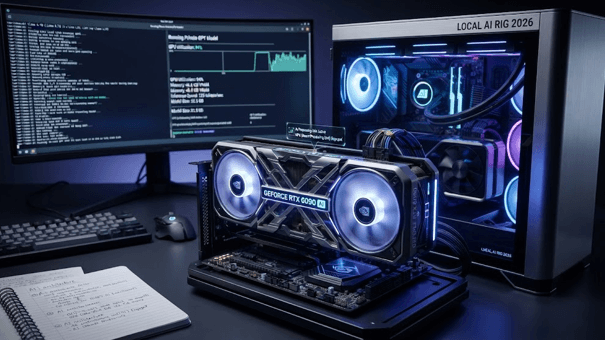
Another reason why a private AI setup works is modern GPUs. NVIDIA’s RTX 50-series has introduced Blackwell-generation Tensor Cores and newer CUDA capabilities designed around AI workloads. This means that consumer GPUs are becoming more and more useful for local inference, not only for graphics and gaming.
What this means is that the benefits go beyond just higher theoretical compute. Modern software can use this specialized hardware to improve lower-precision operations that local LLMs need to work well.
The same is true for NPUs, which provide low-power AI acceleration for supported workloads. This is especially important for desktops and laptops where it’s more important to run smaller models efficiently than to maximize raw throughput.
Apple Silicon Makes Memory the Advantage
Apple has decided to take a different approach. It has developed a unified memory architecture that lets the CPU and GPU access the same memory pool, so it doesn’t have to split between system RAM and dedicated VRAM like traditional PC setups do.
While different, Apple’s approach is actually a good solution for running local AI models. A Mac with a large unified-memory configuration can make models that would otherwise exceed the capabilities of a GPU’s VRAM functional.
It should be noted that none of these developments make hardware irrelevant; they simply change the threshold. By providing better model architectures, quantization, compression, accelerators, and more, machines that were once too small for LLMs can now run them locally, and make them efficient and useful, at that.
Strategic Trade-Off Analysis
Source: Pixabay
When comparing local LLMs vs. cloud AI, the main trade-off is control vs. convenience. Cloud AI is convenient and capable, offering access to large models that don’t require users to buy and configure their own specialized hardware. There is no maintenance cost either; you simply purchase a subscription, and you are ready to go.
Local models are the opposite, putting the hardware as your biggest investment. On the plus side, inference doesn’t generate a separate token bill for each request you make.
CapEx Workstations vs. OpEx Token Subscriptions
For occasional users, cloud subscriptions are usually easier to deal with and to justify. A developer can simply pay a monthly subscription and immediately access a capable model. But, for teams that regularly use AI, regular API or subscription costs can become a big expense. Having a local workstation puts most of that cost into CapEx.
The machine needs to be bought upfront; that much is true. Once it is available, the investment quickly starts to pay off, as you can now run an open-weight model without triggering per-token charges. The entire cost will still depend on multiple factors, including how much you use it and the hardware lifespan. There are also other costs to consider, like the price of electricity, but in the long run, a solution like this is usually far more affordable.
Sub-20ms Latency and Air-Gapped Privacy
Local inference is also helpful as it speeds things up by removing the trip that the data needs to travel, both to the cloud and back. If you are running a small model on strong enough hardware, you can get response times shorter than 20ms. Note that this is per individual inference steps - a full generated response will take somewhat longer, since the tokens still need to be produced sequentially.
Another big benefit is privacy, which is usually a stronger reason for running things locally. An air-gapped machine can safely process sensitive documents or code without exposing it by sending it to a third-party provider.
That is what makes local AI especially attractive to those who handle confidential information, like IPs and regulated information.
Practical Operational Limits of Local Setups
While rich with benefits, local AI has its limits, and they are usually fairly clear and well-documented. Consumer hardware is not strong enough to match the largest cloud models used for parameter count and context capacity. It also doesn’t offer specialized capabilities.
If you are thinking of procuring high-end workstations, note that this will take a serious investment - typically thousands of dollars - and that’s before accounting for the cost of maintenance and electricity. It will also be your job to deliver model updates. So, while smaller operations are beneficial, larger ones can often be quite a lot of work, plus a massive cost that accompanies it.
In such a scenario, cloud platforms still remain a simpler alternative. If you have a workload that needs newer models that regularly achieve breakthroughs, get updates, work on a massive scale, and require minimal management on your end, then cloud platforms are the way to go. Local AI is strongest for smaller workloads where privacy and predictable costs are the priority.
Do local LLMs match the output quality of cloud services?
Local LLMs can match cloud models for many everyday tasks, especially when using a capable open-weight model and strong enough hardware. The most powerful cloud models will still outperform them, especially in terms of complex reasoning and specialized workloads.
Can local models operate offline?
Yes, once a model and its required software are installed on your machine, a local LLM can run with no internet connection just fine. This is another, albeit smaller benefit of going local. It does play an important role when working with sensitive data.
From Runtimes to Autonomous Local Workflows
Source: Pixabay
After you decide to go with local AI, its software can now do everything, from simple graphical interfaces to highly configurable inference engines.
Ollama, for example, provides a fairly simple terminal-based workflow that allows you to download and start models, as well as integrate them into scripts. LM Studio takes the opposite approach, where it offers a graphical interface for discovering and configuring local models, even letting you chat with them.
Llama.cpp is another alternative, acting as a lightweight inference engine that you can use to run quantized models using different hardware. The choice is not so much about which tool is the best - it’s about how much control the workflow needs. For a casual user, LM Studio is probably good enough, while developers typically prefer Ollama or the lower-level control of llama.cpp.
Turning Local Models Into Agents
A significantly bigger shift comes when a local model can interact with the machine instead of just answering questions. OpenClaw, created by PSPDFKit’s founder, Peter Steinberger, is a good example.
The project emerged in November 2025 as Clawdbot, only to become Moltbot after the January 2026 trademark dispute. Eventually, it was renamed again on January 29, becoming OpenClaw that we know today. It exploded after that, passing 347,000 GitHub stars by April.
OpenClaw runs on the user’s infrastructure, but its biggest advantage is that it is model-agnostic. You can connect cloud models or local ones to it, and it will adapt to them. It features over 100 pre-built AgentSkills, which can give an agent access to shell commands and web automation.
It effectively changes the role of local AI, since you no longer ask a model to describe what code or documents should be changed. An agent connects model output to the necessary local resources directly and performs the work that needs to be done, under the user’s control, of course.
The Local-First Default
As we have seen, the shift toward local AI doesn’t mean ditching the cloud completely. It simply gives the user options, and doesn’t force them to treat the cloud as the only practical way to run capable AI models.
Is local AI perfect in every situation? No, it can be too much work or too expensive for major operations. But, for a developer dealing with growing API costs and when privacy is a major concern, it gives them an alternative. Today’s hardware is more than capable of running it, and open-weight models themselves have evolved into a capable solution.
Add tools like Ollama, LM Studio, or llama.cpp, and you can run smaller models at a considerably lower cost. Local agents can also be beneficial since they can connect whatever model you are running to your files and apps, allowing them to do the work instead of just telling you what work needs to be done.
The limits still exist, but for highly controlled workloads, or those where cost and privacy are an issue, this is completely possible. In short, running AI locally is not just an experiment in 2026, but a practical option that deserves to be considered.