Digital Minimalism for Power Users: How to Reduce Cognitive Overload in the AI Era
Digital minimalism helps power users reduce AI overload, notification fatigue, and constant app switching — no digital detox or quitting AI tools required.
Digital Minimalism for Power Users: How to Reduce Cognitive Overload in the AI Era
By 9 a.m., a power user has three AI chats open, with two agents running their daily tasks in the background. Slack notifications keep arriving every two minutes, and the browser is full of open tabs. By lunch, digital minimalism 2026 is starting to look less like using a few apps and more like trying to maintain control of everything running simultaneously.
In short, it is chaotic enough to seriously drain even the most well-organized individual. The trouble is the number of responsibilities: each tool adds something to remember, watch and answer. A few years ago, digital overload meant scrolling social feeds. Now AI handles the smaller tasks and leaves people with an endless stream of suggestions and decisions to make. It feels like constant work, yet the important work still isn’t finished, which is why many are looking for ways to reduce AI overload.
What Is Digital Minimalism in the AI Era?
Illustration generated with AI
The first step in reducing AI overload is recognizing the alternative approach, which is digital minimalism. This is essentially a practice of choosing which technologies deserve your attention instead of giving it to all of them at once. Narrow down your choice to what is most important and focus on that.
It doesn’t necessarily mean owning fewer devices or denying yourself time online. It is more about making technology serve specific goals, rather than allowing it to capture all of your attention and drain you. That makes it different from engaging in a digital detox, which usually implies taking a break from technology. Digital minimalism allows you to keep using it, it just focuses your attention in a more efficient way.
With that said, the problem that digital minimalism aims to solve has also changed. In the past, discussions involving digital minimalism revolved mostly around smartphones and social media. People used to engage in “doomscrolling,” but in 2026, the problem revolves around using too many productive technologies at once.
You have to rely on AI assistants, coding agents, collaboration apps, automated workflows, countless notifications, and multiple streams of information all coming your way. Some of it aims to inform you, while some need you to make a decision or monitor task execution, and so on.
ActivTrak’s 2026 workplace data shows why this matters, as across 443 million work hours at 1,111 companies, the average organization went from using two AI tools in 2023 to seven in 2025. Immediately after AI adoption, time spent across measured work categories went up instead of down, and focus efficiency dropped to a three-year low of 60%.
Digital minimalism in the era of AI does not mean rejecting AI. It simply means reducing the number of things demanding your attention, so the tools you do focus on will make you more effective.
The meaning of digital minimalism and how it differs from digital detox
Digital minimalism is the act of deliberately choosing which technologies deserve your time and attention, rather than using every available tool and overwhelming your feed. It clearly differs from digital detox, which focuses on taking a break from technology completely. You just need a focused approach.
Why AI Overload Happens
Illustration generated with AI
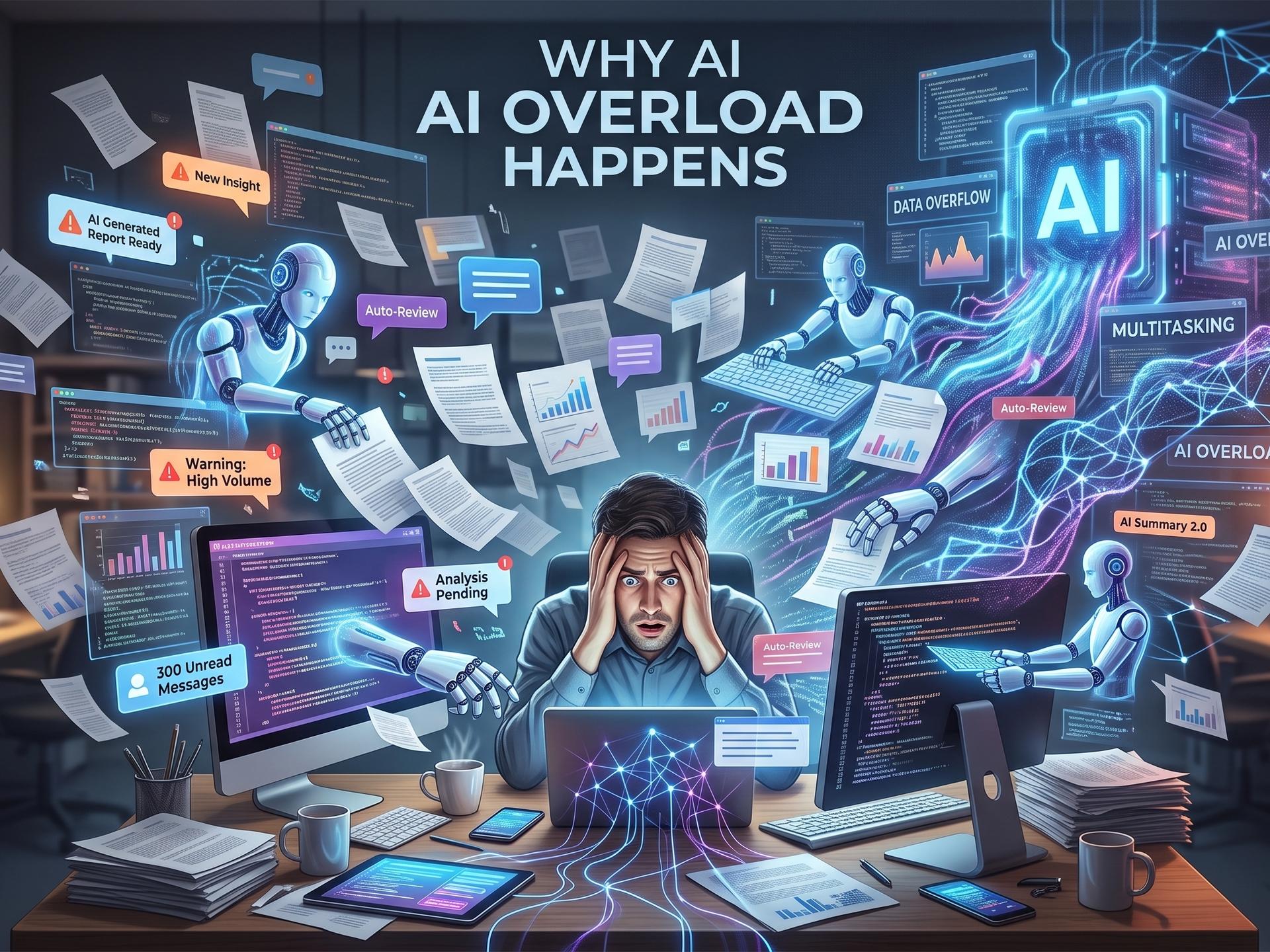
While using multiple AI chats or agents at once may feel productive in the moment, a lot of users describe ending the workday drained and unsure if they actually finished anything. This is because AI overload is not a matter of using too much technology. It happens when the tools you use - tools that are supposed to help - create more information for you to absorb and more decisions to make. Add the need to supervise their every move, and your productivity software becomes just another source of cognitive work.
You can try to apply a common fix of running one agent at a time and reviewing outputs in fixed batches, rather than constantly monitoring them in real time.
Engagement Never Stops
The way digital products are designed is to keep the user engaged. This is usually done through notifications and feeds. Users see recommendations and updates that arrive constantly. Then comes AI, adding yet another layer, since it can generate an unlimited stream of information.
It provides summaries and suggestions, tasks and text, and it all results in a system where there is always something else to check. In reality, very little of it is particularly important, but all of it requires user engagement, creating the illusion of importance and overwhelming the user as a result.
The Oversight Trap
Another change is that AI removes effort from many smaller tasks, but it replaces it with a different kind of effort - the need to evaluate its work. There is still need for human judgment to check after the AI is done and confirm that its answers are accurate. If there is a decision to be made, the user needs to assess all choices and options and then decide which course to take.
Researchers at Boston Consulting Group and Harvard Business Review call this “AI Brain Fry.” Their March 2026 study interviewed 1,488 US workers, and it discovered that certain patterns of overseeing AI agents were associated with mental fatigue and decision overload. Users started making more errors, and many started feeling a strong intention to quit.
Researchers believe that this was not burnout from simply working too much or too hard, but a type of cognitive fatigue that comes from having to constantly monitor and check AI systems. It also explains why feeling productive is not always the same as actually being productive.
Attention Gets Fragmented
Another interesting finding is that interruptions compound the problem. Microsoft found that its heaviest users (top 20% by volume) were pinged about 275 times a day, roughly every two minutes during core hours, by emails, meetings, and chats. Around 48% of surveyed workers said that their work feels chaotic and fragmented.
An older HBR study from 2022 also found that workers toggled between applications around 1,20 times per day. The resulting reorientation consumed almost four hours per week. Now imagine how much worse the situation is with AI agents and tools constantly demanding the user’s attention and forcing them to switch between agents, chats, dashboards, and more, all of which the user has to monitor at all times.
When AI Does the Thinking
Among the many risks that AI users are exposed to is also skill atrophy. This happens when the user relies on AI too much for search, drafting, analysis, problem-solving, and the like. With AI doing all the work, the user has fewer opportunities to practice those skills themselves. Simply put, they get rusty because something else has been doing the work for them. That is the essence of the automation paradox - the technology increases short-term output, but it weakens the human capability that is needed to recognize when the automation has gone wrong.
So, why does AI overload happen?
AI overload happens because multiple AI tools, agents, notifications, and streams of generated information compete for your attention. While AI can reduce the effort needed for individual tasks, if you have to constantly evaluate outputs and switch between tools, you are spread too thin and you get less work done.
How To Tell Your Digital Life Is Overloaded
Illustration generated with AI
While it might seem like something that would be easy to recognize, overload is not always that obvious. A power user can have high output and still end up spending the entire day more reacting to tools than directing them, which is why it’s important to learn to recognize the signs of overload early. If you can spot them, you can react to them, since they suggest that the problem is not the lack of tools and software, but an overload of the user’s attention.
You have several AI tools doing essentially the same job. If you regularly move between agents, tools, chatbots, and writing assistants, even choosing which one to pick requires cognitive work. First fix: Pick one primary tool for each job, while you keep alternatives for tasks where a specific alternative has a real advantage.
You check agents and notifications “just in case.” An agent that runs in the background can create a new form of digital oversight where you feel like you have to keep checking for updates. In time, this becomes an urge, so you keep doing it even when nothing requires your attention. First fix: Review agent performances in batches and disable notifications that don’t require any urgent response.
Your work is scattered through tabs, apps, notes, and AI chats. Constantly searching for the right conversation or document, or even a browser tab, can be exhausting. It encourages more app switching while taking up more and more of your time. First fix: establish one central workspace where you will keep all active projects. Everything that doesn’t need your involvement should be archived.
You feel mentally foggy by afternoon despite getting a lot of work done. High output doesn’t mean low amount of cognitive work. Even if you only have to make small decisions, dozens of them still pile up into a heavy cognitive load. First fix: Ensure that you get time to do uninterrupted work and schedule AI reviews, messages, and all other low-priority decisions for later, outside of your uninterrupted work time.
How to Build a Productive Tech Workflow
You can reduce the digital overload that’s weighing you down, and doing so doesn’t mean that you have to remove useful apps or go back to pen and paper to do your work. You just need to take the right approach that will allow you to build a system where every tool you use has a specific and defined purpose.
That, plus limited interruptions, will allow AI to handle work that genuinely benefits you rather than becoming just another thing that needs constant oversight. While this might seem complicated and even impossible to achieve, it is fairly simple if you break it down into a few steps.
Step 1: Measure
Start with a week of measurement before cutting anything. That just means spending seven days observing how you actually use the technology at your disposal. Track things like screen time, app usage, subscriptions and notifications, as well as how often you switch between different tools while doing your work.
While observing, try to identify patterns in your behavior, not just potential bad habits. For example, an app that consumed 30 minutes a day can be worthwhile, assuming that it produces valuable work. However, an app that only takes five minutes but doesn’t really do much to contribute can be seen as disruptive, rather than helpful.
Step 2: Categorise and Cut
Once you gather enough information about your habits and tools, separate the ones you truly need from the ones you keep around just in case you may have a use for them someday. Try to assign one primary tool for each recurring task instead of using several and switching between them.
Use this same approach when it comes to AI. In truth, most people don’t need a dozen AI assistants just to go through their day. You can probably do everything you need if you stick to roughly three core AI tools that you use regularly. One can act as your general assistant, another can be a specialist tool, and the third one can be an automation or coding tool. This approach gives you room to use AI without creating the need for a new layer of tool management.
Step 3: Set System-Level Controls
One of the biggest problems with multiple tools and systems is notifications. Notifications are important, of course, but they keep bombarding you and disrupting work, especially when they arrive for non-urgent matters, forcing you to stop and check them. The easy solution is to introduce notification tiers: allow, batch or off.
Notification Tier
What it means
Example
Allow
Notifications that require immediate action should come through normally
A message from a client marked “Urgent”
Batch
Non-urgent notifications that can be held and delivered together at scheduled times, when not disruptive to the user
Routine emails, AI agent updates, and similar messages.
Off
Notifications that do not require the user’s attention and can safely be disabled completely
Social media alerts, promotions, marketing pings from apps
Focus modes and operating system tools, like Digital Wellbeing, can automatically enforce such boundaries. Just keep in mind that AI-generated notification summaries could easily become another feed that you might feel compelled to check, so watch out for that.
You can apply the same principle even to information, in general. Pull information when you need it, don’t allow recommendation algorithms to push it toward you non-stop Lastly, separate work and personal profiles to secure separate environments.
Step 4: Use AI Deliberately
The next step is to use AI for tasks where there is a clear benefit in not doing it manually. Think summaries of routine materials, or transformation of existing content. AI can also be useful in handling repetitive research or generating first drafts. What’s important is to keep some time for unassisted thinking, especially when it comes to solving problems or planning projects. You need to keep the ability to develop ideas yourself, and not become too dependent on AI for everything.
When it comes to AI agents, they should be run in sequence; don’t allow them to create an endless chain of activity. You should also pre-define when the work is “done,” meaning, what is the form it needs to take for you to be satisfied with the result. If you don’t do this, you can easily get stuck in the endless cycle of additional polishing. Then, let the agent work, and review its completed work in batches, rather than keeping an eye on every step of the way.
All of this matters because perceived efficiency is highly misleading. METR’s July 2025 study found that experienced developers took 19% longer to complete tasks when AI was allowed. The problem is that they believed that they were 20% faster.
METR commented on the findings, saying that the early 2025 results are outdated, and it provided an update in February 2026. The update found its newer experiment too affected by selection and measurement problem to provide a reliable estimate. This makes the older results more useful as an example of how perception and measured results can diverge.
Step 5: Monitor and Iterate
The last step involves the review of the productive tech workflow, rather than setting it up and forgetting about it. This doesn’t need to take too much of your time - simply spend 15 minutes a week checking which tools helped you save time and which led to extra work.
Alternatively, you can use a 30-day cycle for a more complete reset, and just follow the steps again. This won’t help you build the perfect setup, but it will ensure that every piece of technology you use has earned its place and the right to your attention.
Conclusion
After a week of audits and cuts, the same power user from the beginning will face a different situation. They will start their morning with fewer tabs and AI chats, and far fewer notifications that they need to review. Every agent on the job will have its specific role, and messages will be arriving in batches, rather than interrupting you every few minutes.
You will spend less time making checks, and when you do check notifications and workflows, you will focus on what truly matters to get the job done.
As you can see, the solution was never to abandon technology, just to focus your attention on what delivers real value and set some boundaries. That is what it means to engage in digital minimalism in the AI era of 2026. Taking back control, rather than letting the technology overwhelm you. You just need to focus on clarity, not speed, in the new productivity.